Kling 2.6 Tested: A Portrait and a Product, 40 Credits Each
Spec sheets don't tell you how a model treats your photo. So we ran Kling 2.6 on the two jobs people actually buy it for — animating a portrait and making a product shot move — one photo each, one prompt each, same afternoon, same account. Both runs below are the actual outputs, unedited.
Run 1 — Portrait: smile and turn
| Item | Value |
|---|---|
| Input | 1 portrait photo, subject facing slightly off-camera |
| Settings | 5 seconds · 720p · audio on |
| Cost | 40 credits ≈ $3.18–$3.94 depending on pack |
| Render time | ≈ 4 min 17 s |
| Prompt | "She slowly turns toward the camera and smiles, hair moving gently in the breeze, cinematic subtle motion" |

Why this prompt works: one movement (turn), one reaction (smile), one atmosphere detail (hair in the breeze), one style weight ("cinematic subtle motion"). The word slowly is doing real work — it sets the tempo of the whole clip. Stack three actions into 5 seconds and faces start drifting; this prompt spends its budget on a single believable beat.
Run 2 — Product: the ad-style dolly-in
| Item | Value |
|---|---|
| Input | 1 product photo — an earbud case on a plain surface |
| Settings | 5 seconds · 720p · audio on |
| Cost | 40 credits ≈ $3.18–$3.94 depending on pack |
| Render time | ≈ 5 min 8 s |
| Prompt | "Slow dolly-in on the earbud case, rim light sweeping across the surface, premium product showcase" |
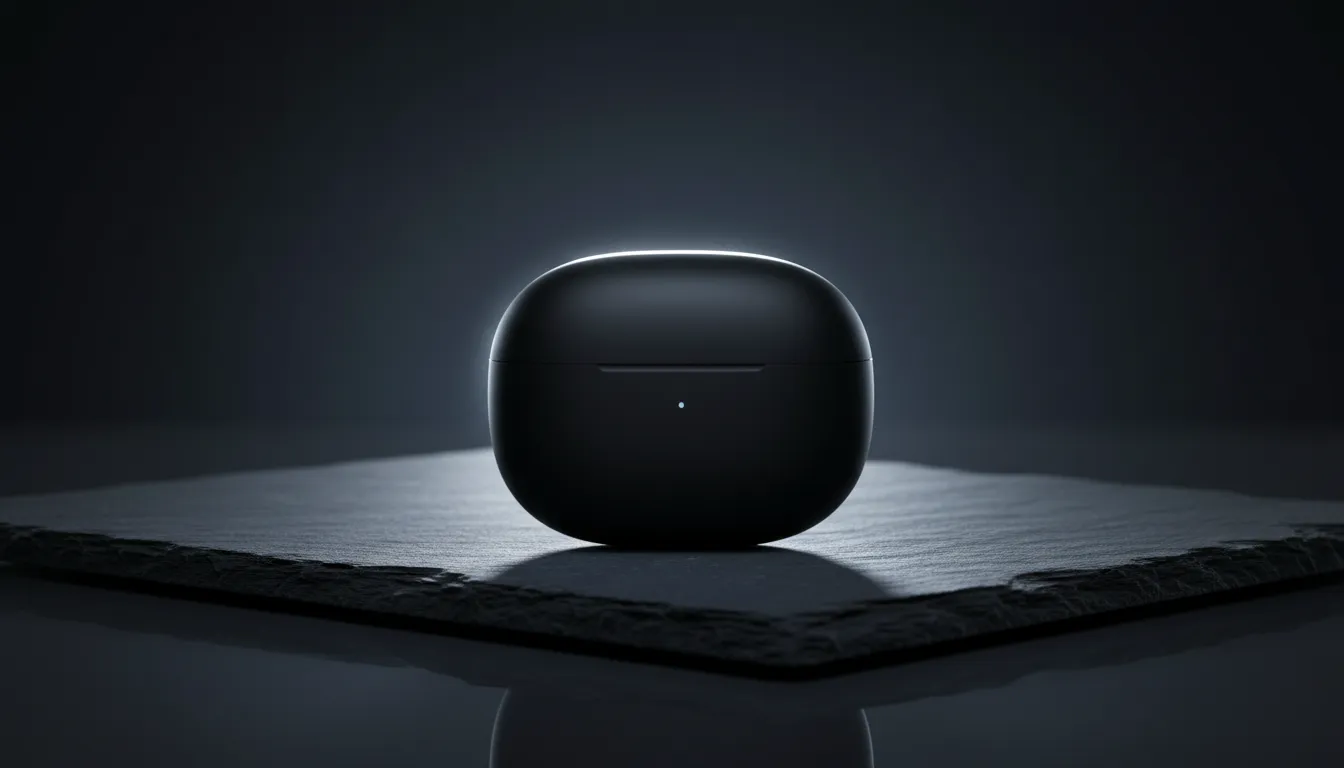
The product trick: move the camera, not the object. "Dolly-in" and "rim light sweeping" are camera-and-lighting directions — they make the clip feel like a studio ad while the product's geometry stays untouched. Asking the product itself to move is how you get warped edges and melting logos.
What held up (both runs)
- Identity & geometry. The face stayed the same person through the turn; the earbud case kept its shape, seams and proportions — no melt, no warp.
- 720p holds up. Both clips look clean at full size — the visible step up from the 480p tier we tested on Seedance Mini.
- Cinematic motion. Hair movement and the light sweep read as filmed, not puppeted — the reason people pick Kling over cheaper tiers.
- Audio included. Both 40-credit runs carry a native audio track at no extra charge.
Where the edges are
- One beat per 5 seconds. These prompts worked because they asked for one motion each. Turn and walk and wave in one 5s clip is a coin flip on any current model.
- ≈ 4–5 minutes per render. Both runs took about the same time despite different subjects — that's the model's pace at 720p, not a queue fluke.
- 40 credits is double the budget tier. Worth it for keepers; wasteful for prompt drafts. Draft on a 20-credit tier first, then render here.
- Single tests, not a benchmark. One run per scenario, one afternoon, October 2026. Enough to show the floor of what to expect — not a statistical claim.
Reproduce either run
- Open the Kling 2.6 generator.
- Upload one photo — face sharp for portraits, product fully in frame for products.
- Paste the prompt from the table above (or start from the portrait / product templates).
- Keep 5s / 720p / audio on — 40 credits — and generate.
- Failed generations refund automatically; only the keeper costs you.
Verdict
Two for two: Kling 2.6 at 40 credits delivered a portrait that feels filmed and a product clip that feels advertised — with identity and geometry intact at 720p. The discipline is on the prompt side: one beat, camera motion for products, tempo words for portraits. Draft cheap, render here. And as with our corgi test, everything above is checkable — inputs, prompts, times and costs are exactly what happened.
FAQ
How much does a Kling 2.6 video cost on img2.video?
Our runs: 40 credits for a 5-second 720p clip with audio. At pack rates that is $3.94 (60-credit pack) down to $3.18 (250-credit pack) per finished clip. The same 5s clip at 480p is 20 credits. Credits never expire, no subscription.
Is Kling 2.6 good for portrait photos?
In our run, yes — a slow turn toward camera with a smile kept the face consistent and the motion cinematic, at 720p with audio. The prompt asked for exactly one movement; piling on multiple beats is what breaks faces on any model.
Is Kling 2.6 good for product videos?
Our earbud-case test came back with a smooth dolly-in and a rim-light sweep that read like an ad — no geometry warp on the case. Product shots reward camera-motion prompts (dolly, orbit, light sweep) over subject-motion prompts.
How long does Kling 2.6 take to render?
4–5 minutes in our two runs (both 5s/720p, October 2026). Treat 2–6 minutes as normal; resolution and queue load move it. Failed generations refund automatically, so never re-submit while a job is running.
Kling 2.6 vs Seedance Mini — which for one photo?
Both do 5s clips with audio. Mini is the budget draft tier (20 credits, 480p in our corgi test); Kling 2.6 at 40 credits buys 720p, finer motion and steadier identity. Our habit: draft the prompt on Mini, render the keeper on Kling.
Do I need a Kling subscription?
No. On img2.video you buy one-time credit packs from $5.90 and spend them on any model — Kling 2.6, Seedance, Veo, Grok — with no monthly plan and no expiry.
Method note: two single runs on img2.video, October 23 2026, owner test account, settings and costs exactly as stated. Sources: Kling 2.6 API (fal.ai) · companion test: Seedance Mini corgi run. Last reviewed October 2026.