Real example below — actually generated on img2.video
Animate a Portrait Photo with AI
A gentle turn toward the camera, a smile, hair moving in the breeze — subtle motion that keeps the face looking like the person in the photo. Start from our real example below.
The real example — one input, one output
This is not a concept mockup. The video below was generated on img2.video with the exact prompt, model and settings shown.
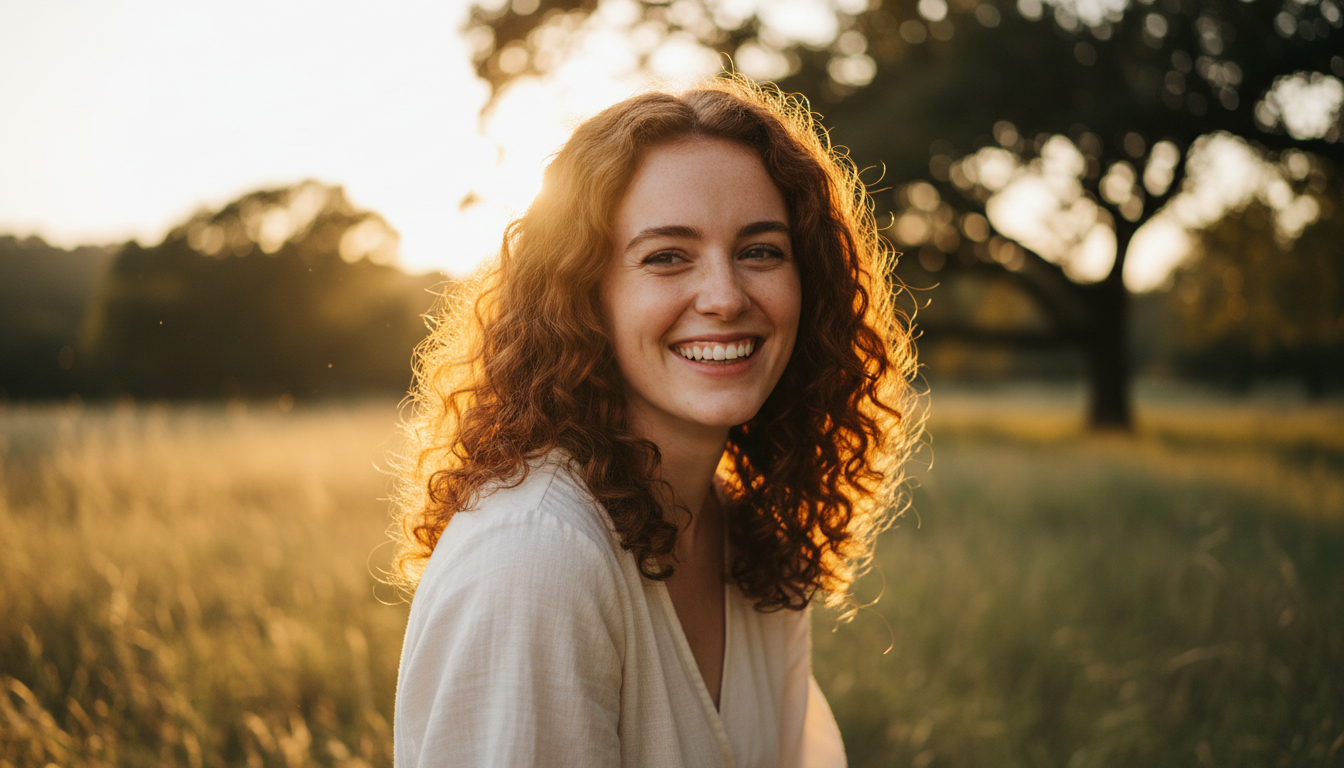 Input — one portrait photo
- Model
- Kling 2.6
- Observed cost
- ⚡40 credits
- Settings
- 5s / 720p / audio
- Evidence
- Real run, not a mockup
What we observed: Facial identity held through the turn, hair motion looked natural rather than rubbery, and Kling 2.6 generated ambient audio for the scene. Judge with the video above.
Cost shown is what this specific run was charged (5s / 720p / audio). Live prices vary by duration, resolution and audio — the generator always shows the exact cost before you pay.
How to make yours in 3 steps
- 1Upload your portrait photo. Face clearly visible, evenly lit, not cropped at the chin or forehead. Plain-word bonus: mention glasses, hats or hair style in the prompt so the model treats them as features to preserve.
- 2Describe the motion. Ask for ONE small motion per run: "slowly turns toward the camera and smiles". Big action (dancing, waving arms) is where faces start to drift. Start from the prompt above and edit it.
- 3Generate and download. Most videos finish in under a minute. HD MP4, no watermark. Failed renders are auto-refunded.
Prompt template for portrait photos
A tested starting point — replace the bracketed parts with your photo. (This template is written for reuse; the example above used our verbatim run prompt.)
- · "Subtle, natural movements" is the single highest-leverage phrase for portraits — it prevents rubber-face artifacts.
- · "Preserve facial identity, skin tone, hairstyle" directly instructs the model to keep the person recognizable.
- · Models with audio (Kling 2.6, Veo 3.1, Seedance) add ambient sound — mention it in the prompt if you want it, or pick a no-audio option to save credits.
Which model to pick & what it costs
Our example above ran on Kling 2.6 at 40 credits (5s, 720p, audio) — strong prompt adherence and natural motion for portraits. Veo 3.1 is the premium step up for maximum realism; Seedance Mini at 20 credits is the budget entry. One real test, not a ranking — run the same prompt on two models with one balance and pick what looks better on YOUR photo.
One account, one balance — compare all six models with real examples →
What to expect — and what can go wrong
- · Identity drift: the bigger the motion, the more the face can shift away from the original — keep movements small for the closest likeness.
- · Hands are fragile — prompts involving hand gestures sometimes produce extra fingers or blended hands.
- · Audio is ambient/generated, not lip-synced speech by default; expect scene sound, not perfect dialogue.
- · Group photos are harder than single subjects; faces of people far from camera may not animate faithfully.
- · Only animate photos of people with their consent — see our Acceptable Use Policy.
Every failed generation on img2.video is refunded automatically — you never pay for a broken render.
portrait photos — FAQ
Will the face stay recognizable?
In our example above, yes — the turn toward camera kept the identity intact. It varies with photo quality and motion size: sharp photos + subtle motion = best likeness. Failed renders are auto-refunded.
Does it work on old family photos?
Yes — this is one of the most loved use cases. Effects depend on the scan quality; if the face is blurry in the input, it will be soft in the video. Try our dedicated old-photos page for that workflow.
Is there audio?
Our example generated ambient audio with Kling 2.6. Models show an audio option (and its exact cost) before you generate.
What about privacy of face photos?
Photos are never used for AI training and are deleted after 7 days. Only upload photos you have the right to use.
How much does one portrait video cost?
Our example: 40 credits (Kling 2.6, 5s, 720p, audio). Budget option: Seedance Mini from 20 credits. Packs from $5.90, never expire, no subscription.