AI Baby Video Generator
The AI baby trend, in motion: upload a baby image and make it giggle, dance or "talk" to the camera in one tap. Works best with an AI-generated baby character — make one in seconds, then bring it to life.
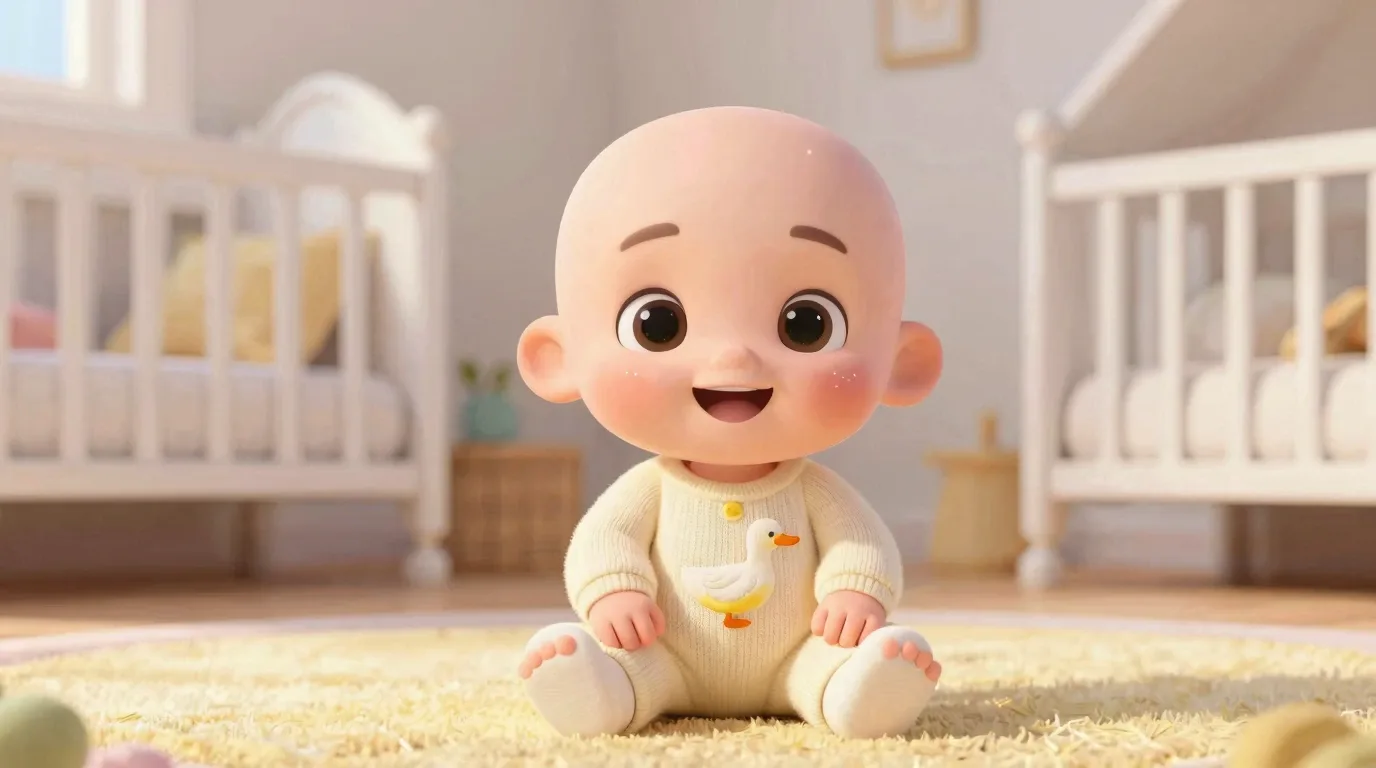
Input — one baby image
original AI-generated baby character, not a real child
Output — Kling 2.6, the giggle-wave beat
Made with img2.video, a real generation from the templates below
Pick a starter
 For cinematic motion on a budget — strong prompt adherence.
Sign up free — ⚡15 credits: one free AI image, or toward your first video · see credit packs
What is the AI baby trend?
Ask an AI chatbot "what would our baby look like?" and you get an image — that single prompt turned future-baby generators into one of the most-run party tricks on the internet. Couples post the mashups at announcements and gender reveals; the same feeds then spawned the video formats that actually travel: babies bouncing to trending audio (the AI baby dance), tiny "podcast hosts" holding microphones, talking-baby interviews with deadpan expressions. The format is now a staple of couple and family accounts, and search volume for AI baby video terms keeps climbing month over month.
What makes a good one is motion, not prediction. The viral clips are rarely stills — they giggle, wiggle and "react", which is exactly the part an image generator can't do and a video model can. That two-step — generate the baby image, then animate it — is the whole workflow on this page.
How to make an AI baby video in 3 steps
Step 1 — get the baby image. The cleanest version of the trend uses an AI-generated baby character: describe your dream baby in the AI image generator (style, outfit, nursery) or reuse an image you already generated elsewhere. A fictional baby is trend-safe by construction — no real child's face is being animated.
Step 2 — pick a beat. Upload the image above and tap a starter: the giggle wave, the dance party, the talking baby, peek-a-boo. Each template carries the full motion prompt.
Step 3 — generate and post. A 5-second clip renders in a few minutes. For the dance format, cut two or three beats side by side over trending audio in your platform's editor — that's the version that gets shared.
Which baby image works best?
- AI-generated or illustrated baby characters animate most reliably — crisp faces, clean backgrounds, no motion-model confusion.
- Front-facing compositions with the baby centered beat profile shots; keep the background simple.
- Real photos you have the rights to also work, but small soft faces are technically harder — expect a few reruns, and never animate photos of children you don't have the rights to use.
- One image, one beat. Generate the giggle and the dance as separate clips, then cut them together.
Children's faces & fair play — read this first
AI baby videos are entertainment, not prediction — no generator can forecast what a real child will look like. Use images you have the rights to; we recommend animating AI-generated baby characters rather than real infants, and photos of children you don't have the rights to use are off-limits under our Acceptable Use Policy. Celebrity face mashups are blocked automatically. Don't present a generated baby as a real medical or genetic expectation — especially not in a pregnancy announcement where viewers might take it as one.
AI baby video FAQ
What is the AI baby video trend?
It is the wave of AI-generated baby clips flooding short-form feeds: future-baby face mashups, babies dancing to trending audio, and "talking baby" interviews. It started with photo prompts (Gemini and ChatGPT baby trends) and grew into full video formats. This page makes your own version: one baby image, one tap, a moving clip.
Does this predict what my real baby will look like?
No — and neither does any generator, whatever the marketing says. These are entertainment tools producing plausible-looking renders, not genetic predictions. The fun is in the fantasy, and the shareable clip is the deliverable.
Can I animate a real photo of my baby?
You can upload any photo you have the rights to. That said, the safest and most popular way to ride this trend is to animate an AI-generated baby character — a fictional baby, not a real child. Real-infant clips are also technically fussy (small faces, soft light and blur confuse the motion models). For a fictional baby image, our AI image generator makes one in seconds.
How do I make the AI baby dance?
Tap the "Baby dance party" template above, upload a baby image (an AI-generated cartoon baby works best), and generate. The prompt already carries the bounce, clap and rhythm; if the first run is too subtle, add "energetic full-body bounce, clapping to the beat" and rerun — failed generations are refunded automatically.
Which model should I pick?
Kling 2.6 follows multi-part motion prompts most faithfully and keeps small faces stable — it is what our demo below uses. Veo 3.1 gives the most cinematic render; Seedance Mini is the budget pick at 20 credits for quick tests; Grok Imagine adds ambient audio cheaply.
Is it free to try?
Every new account gets transparent pay-per-use pricing — clips start at 20 credits (a 5-second 720p clip), packs from $5.90. No subscription. Failed generations are refunded automatically.