Kling 2.6 Photo-to-Video Examples: Real Prompts, Real Results, Real Cost
Most “examples” pages show videos with no prompt and no price. This one shows the opposite: the input photo, the output clip, the word-for-word prompt, and what it actually cost in credits and dollars. Kling 2.6 is the budget workhorse of the six models on img2.video — here is what it does with real photos.
Example 1 — One car photo → a flying-car sequence
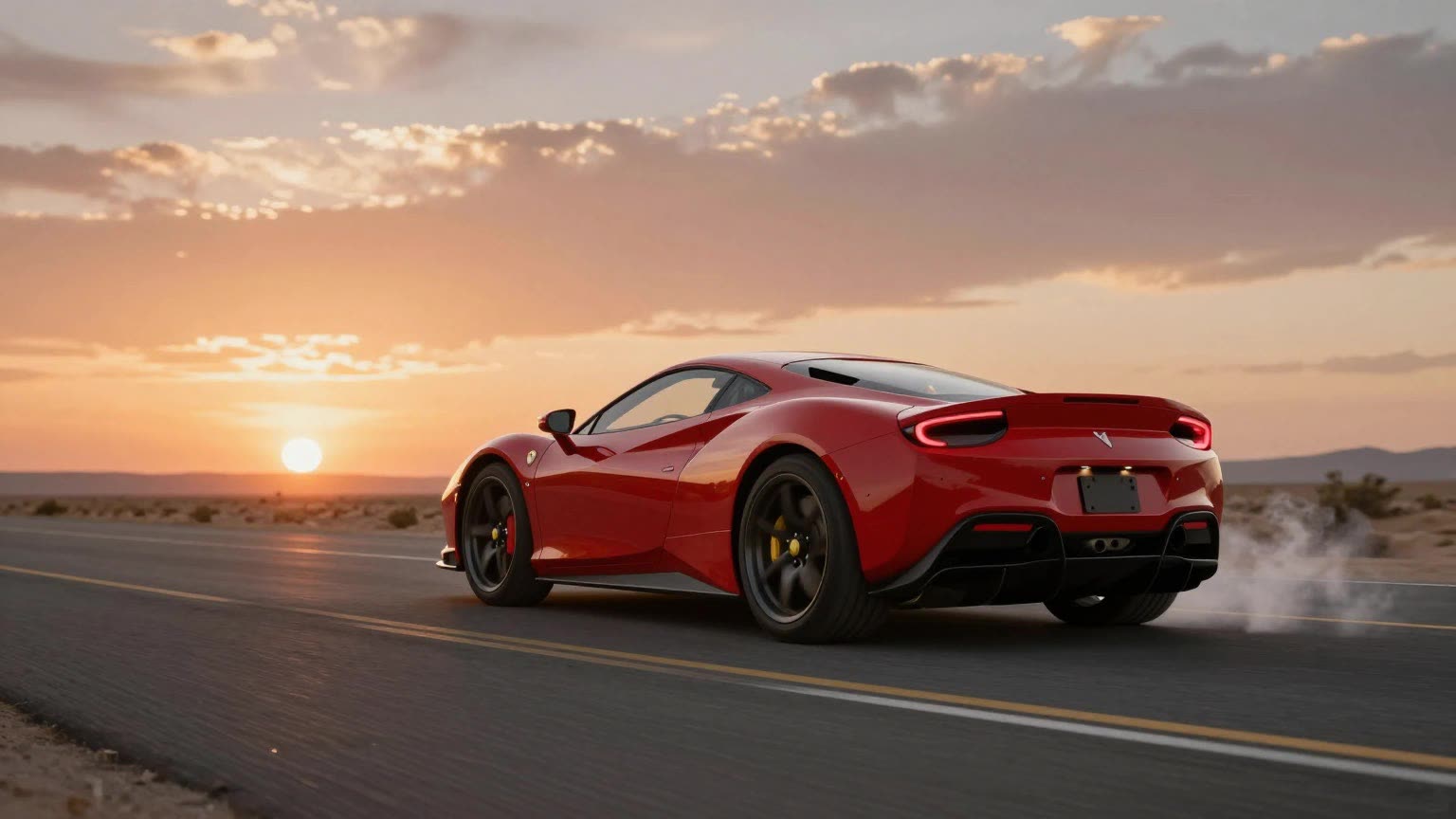 Input — one photo
“A red sports car hovers above the highway, cold-gas thrusters firing from behind, camera orbits slowly, cinematic”
Note what the prompt does: it names the subject action (hovers), the detail (thrusters firing), and the camera (orbits slowly, cinematic). Kling 2.6 is unusually good at honoring all three layers at once — that separation is the single biggest prompt-quality lever on this model.
Example 2 — One character image → a cinematic strut
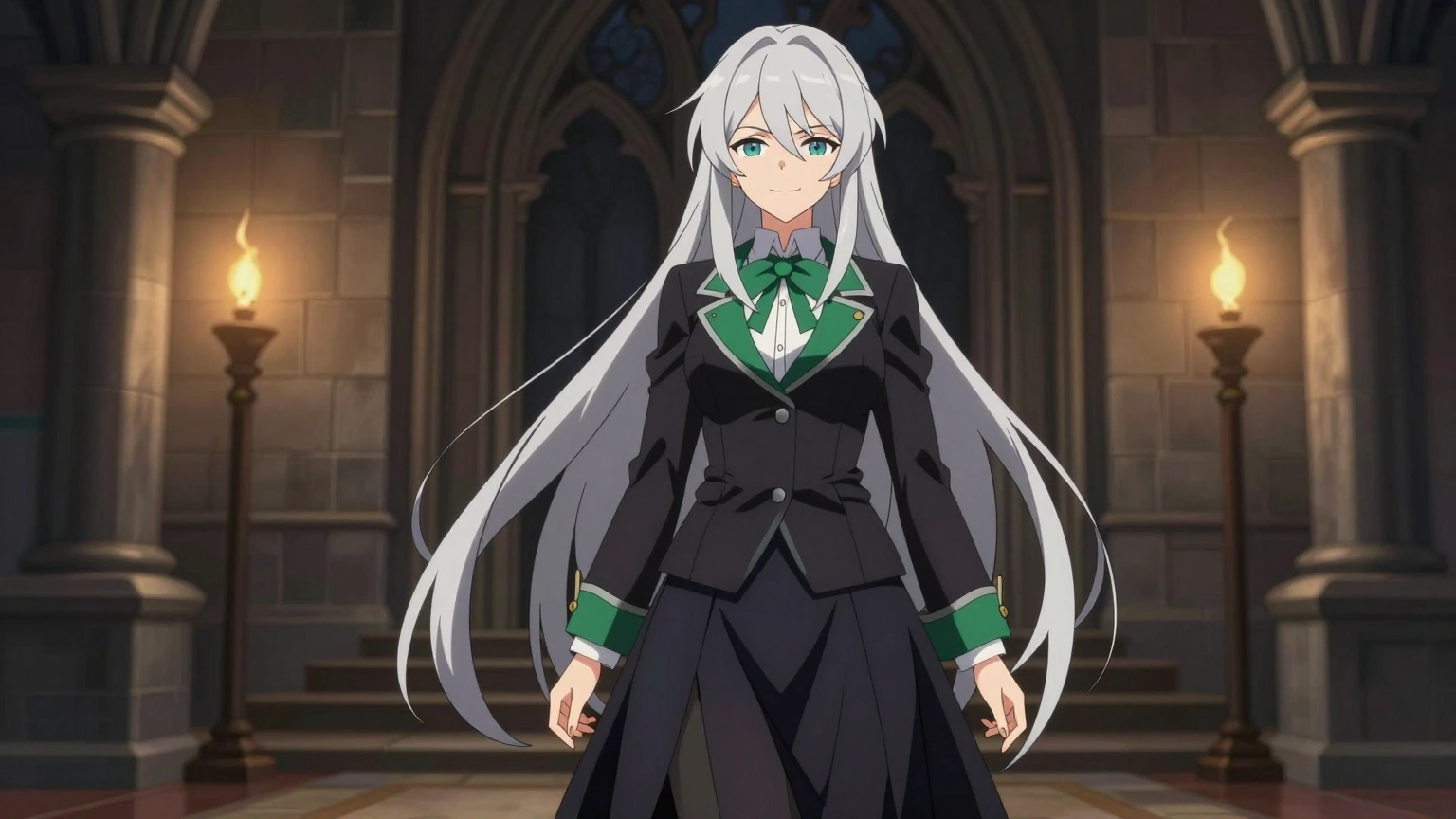 Input — one image
“The confident silver-haired witch flips her long hair, smirks at the camera and struts forward, dark candle-lit corridor, cinematic anime style”
Illustration inputs animate as well as photos. The character here is an original design (a copyright-safe take on a viral trend) — Kling 2.6 kept the face consistent through the hair-flip and strut, which is where cheaper models usually melt.
The real cost, per clip
| Pack | Price | Credits | Kling clips | Per clip |
|---|---|---|---|---|
| Mini | $5.90 | 60 | 3 | $0.36 |
| Starter | $9.90 | 115 | 5 | $0.35 |
| Growth | $19.90 | 250 | 12 | $0.33 |
One-time purchase, no auto-renewal, credits never expire. Failed generations refund automatically — you never pay for a broken render.
Reproduce either example in 2 minutes
- Open the generator and upload one photo (car, character, pet — 720p+ works best).
- Paste the prompt from either example and change the subject clause to match your photo.
- Pick Kling 2.6 and press Generate — about a minute later you have an HD MP4, watermark-free.
Try Kling 2.6 with your own photo
New accounts get free welcome credits — enough to see the quality before paying anything.
Open the generator →FAQ
How much does a Kling 2.6 video cost on img2.video?
20 credits per video. With the $5.90 Mini pack (60 credits) that is about $0.36 per 5-second clip — credits are one-time and never expire, there is no subscription.
What kinds of photos work best with Kling 2.6?
Single clear subjects with room to move: a car on an empty road, one character facing the camera, a pet mid-action. Kling 2.6 follows motion prompts closely, so describe the camera and the movement separately.
Does Kling 2.6 generate audio?
No — Kling 2.6 outputs silent video. Add music in CapCut or TikTok from the platform’s licensed library. If you need native audio, Grok Imagine 1.5 (25 credits) and Seedance Mini (20 credits) generate sound.
Can I copy the prompts from these examples?
Yes — every prompt on this page was used to generate the exact video shown. Paste it into the generator as-is, then swap the subject to describe your own photo.
Is Kling 2.6 better than Veo 3.1?
Kling 2.6 costs less (20 vs 25 credits) and is excellent for stylized motion and camera moves. Veo 3.1 leads on photorealism for faces and keepsakes. For cinematic scenes on a budget, Kling; for realism, Veo.